Level 2 · one of the five
HR and payroll
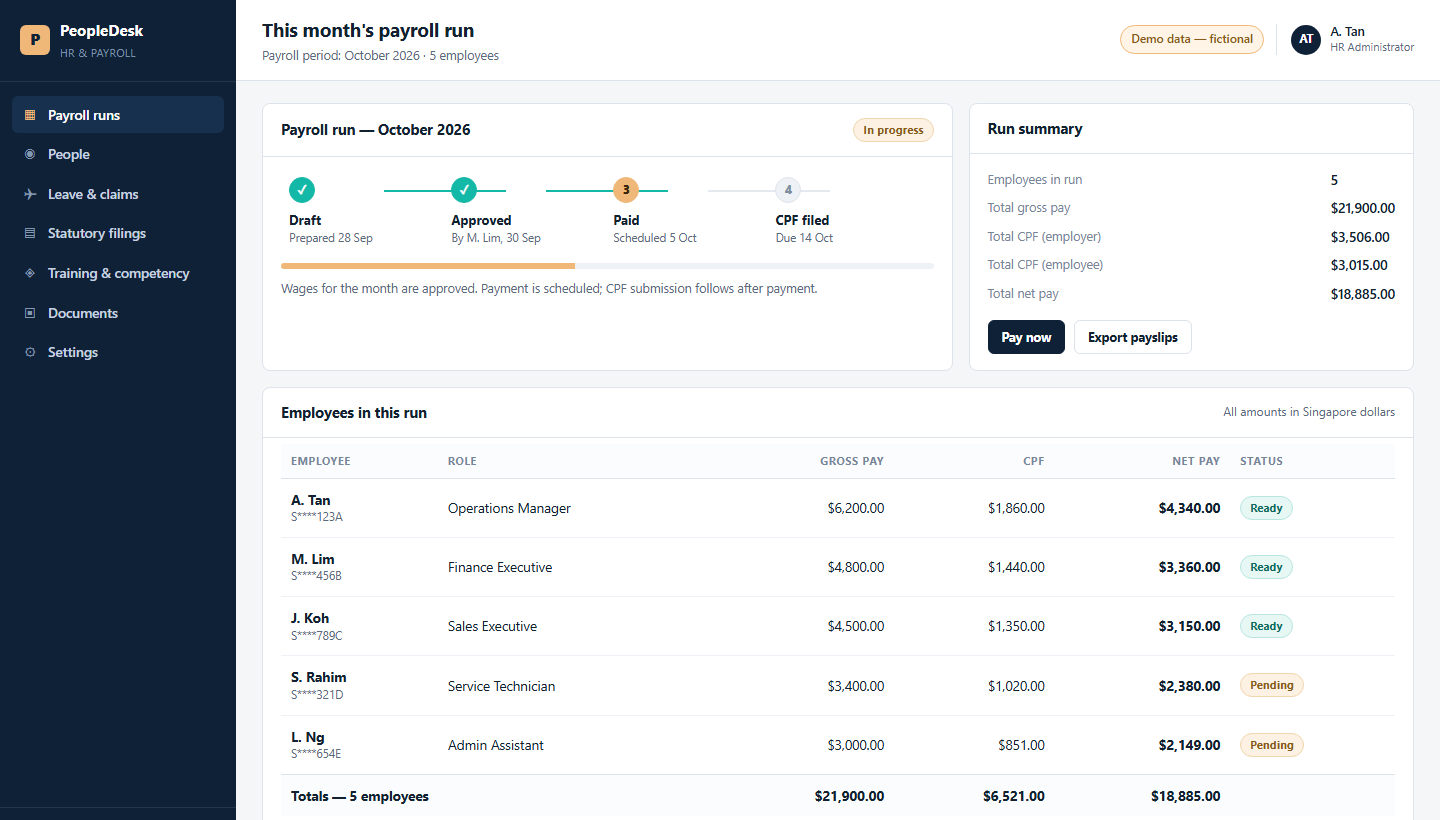
Payroll, people records, leave, claims and the statutory filings - the HR system a small Singapore company runs on.
See its three screens →Reference · what the work produces
Five systems a company can build at Level 2, and the Level 3 project. Three screens each - what the people who use it actually see, so you can judge the work before you commit a single seat.
A quick look at what you can build. Each system is shown as three screens on illustrative data: no client's system and no client's data appears anywhere on these pages. Whichever one you choose, it runs on your own company server - your information and your data stay with your company, not in someone else's shared tool.
Every system here is built on the company's own documents, and a person approves what it produces. It is fair to want to see the work before you commit a seat.
The five Level 2 systems, and the project
One system per course, built to run - not five half-built. A company comes back for the next one when the first is in use.
Level 2 · one of the five
Payroll, people records, leave, claims and the statutory filings - the HR system a small Singapore company runs on.
See its three screens →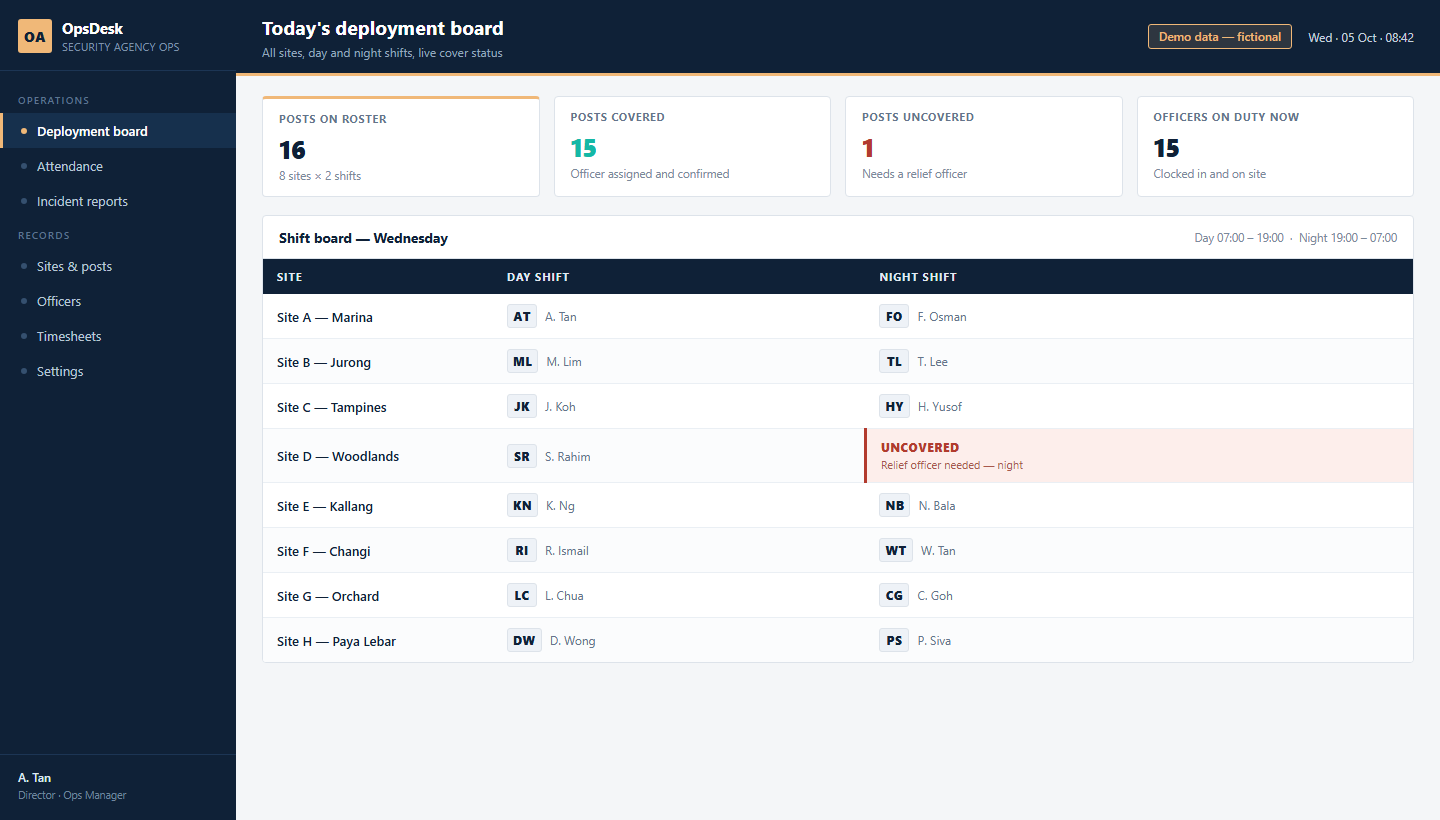
Level 2 · one of the five
Who is on which site, today and tonight - the deployment, attendance and incident board an operations team lives on.
See its three screens →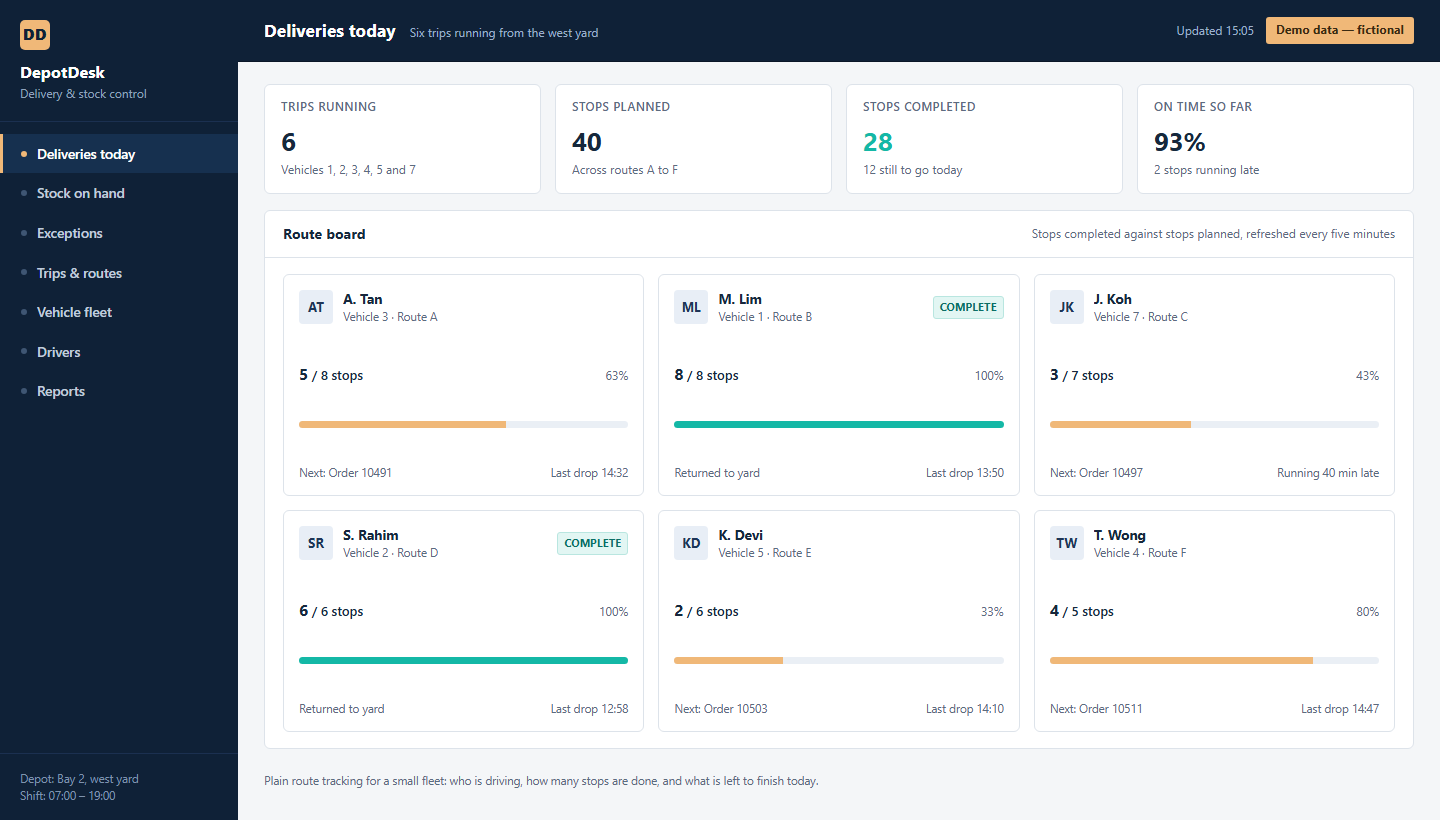
Level 2 · one of the five
Deliveries, stock and the exceptions that eat the day - with proof of delivery kept where you can find it.
See its three screens →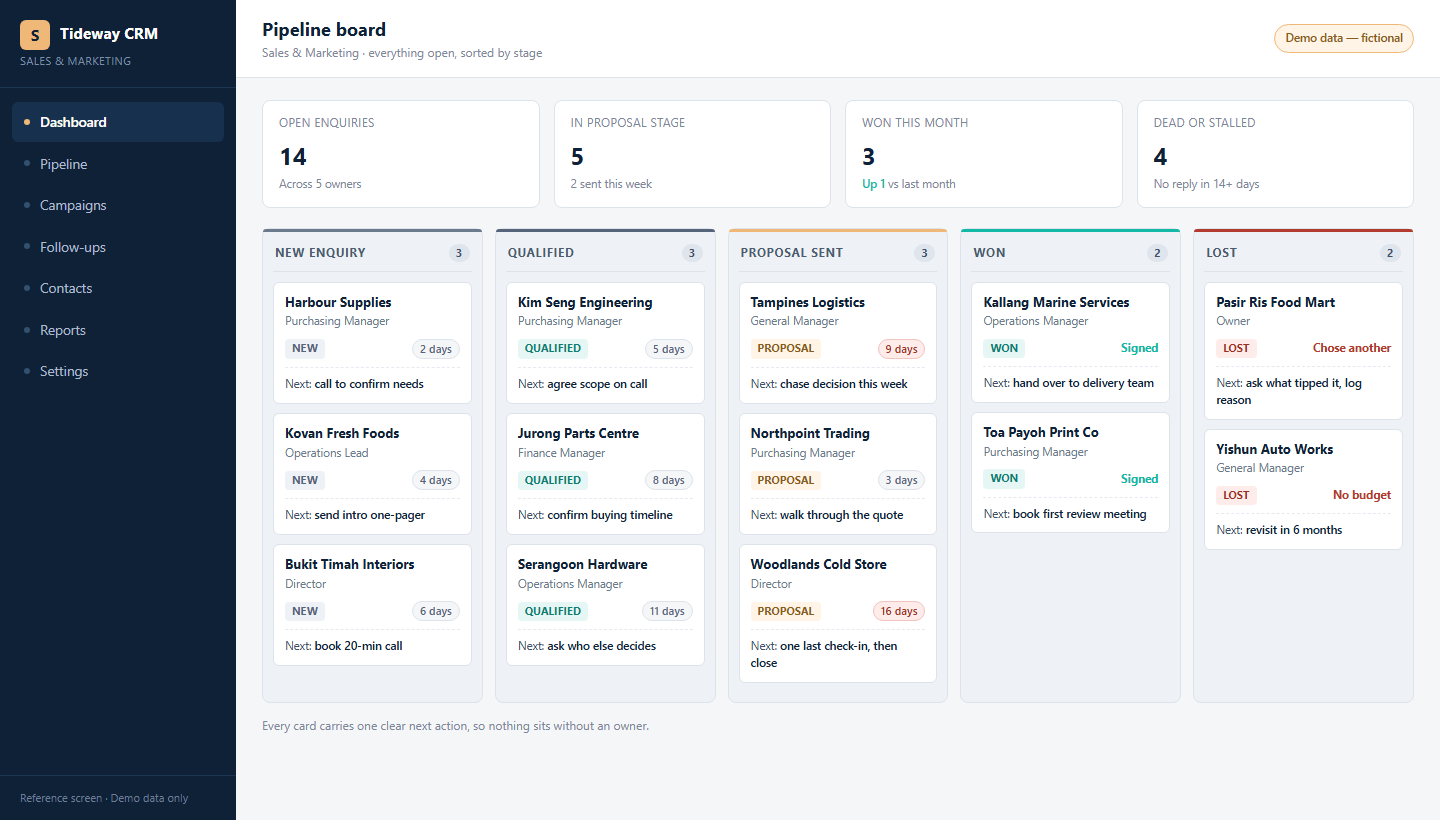
Level 2 · one of the five
Every enquiry, what the campaigns actually produced, and the follow-ups due today - in one place.
See its three screens →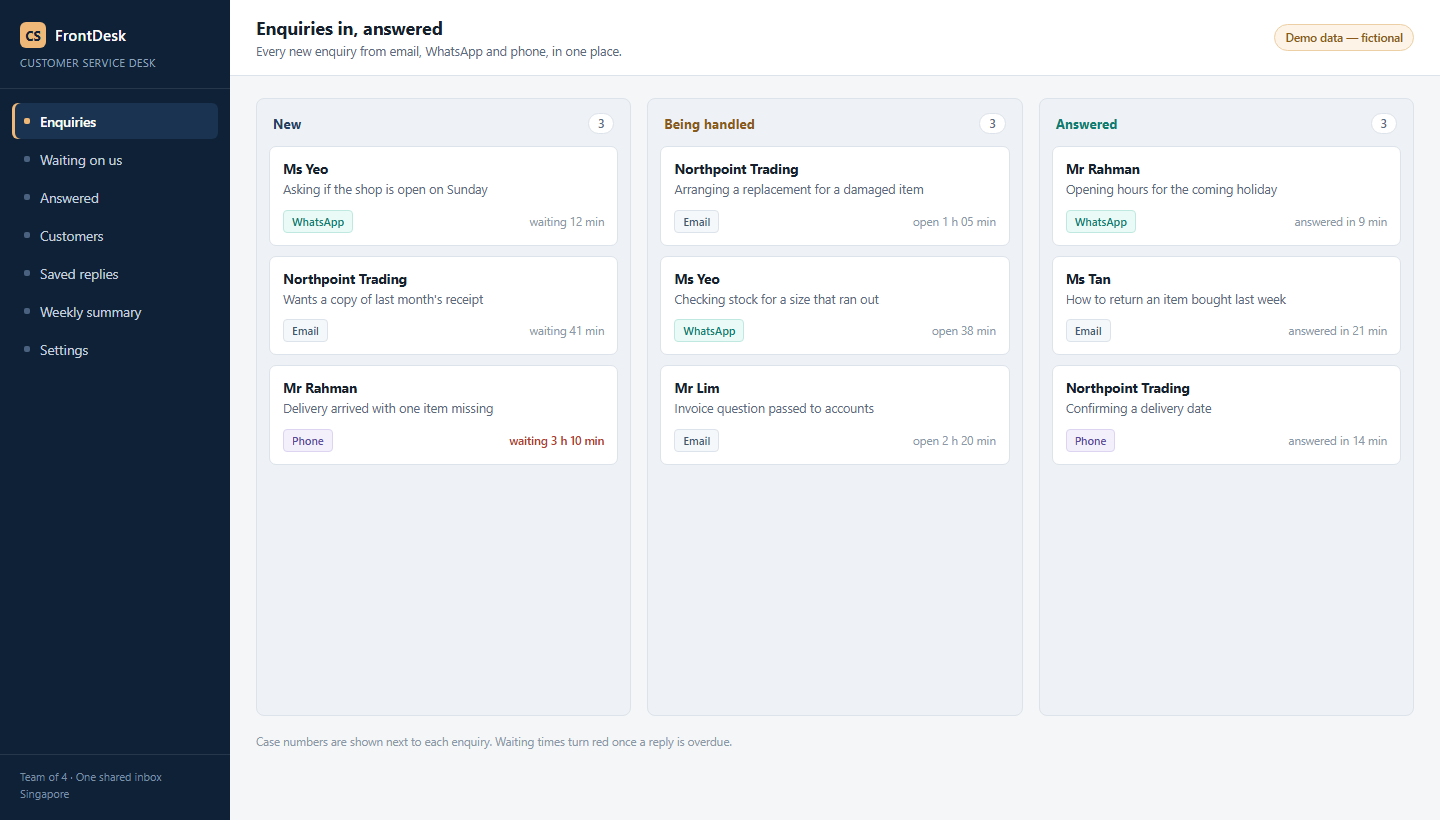
Level 2 · one of the five
Every enquiry answered, with the AI drafting and a person deciding - and the numbers on how the week went.
See its three screens →
Level 3 · the customised project
A live system: officers run licence-renewal scenarios on their own phone, at their own post, and the record is kept.
See its three screens →The difference is not another screen to look at. It is who does the work: the system produces the thing, instead of waiting for somebody to type it.
| System | What it costs you now | What the AI version does |
|---|---|---|
| HR and payroll | Payslips: a three-to-five-day job every month, and a CPF error found late. | One sentence - prepare last month's payslips as a PDF - and the run comes back checked, CPF done. |
| Operations | The roster is rebuilt by hand when someone takes leave, and the uncovered post appears on the day. | One sentence, and the roster comes back with the uncovered post already marked, before it happens. |
| Logistics | Stock is reordered when somebody remembers, and the item that runs out is the urgent one. | One sentence, and the reorder list comes back with quantities and the supplier to use. |
| Sales and marketing | Last month's numbers are rebuilt out of three tools into a spreadsheet. | One sentence, and the month is written up with the channels that actually brought replies. |
| Customer service | Enquiries wait in three places at once, and the same answer is typed twice. | The AI drafts each reply from your own documents, with its sources; a person approves before anything sends. |
Other software
These five are what companies ask for first, because most of them already pay for a version of one. The method does not change for anything else.
Quotations, project costing, scheduling, site inspections, compliance records, an approvals chain, a supplier register: if it is done on paper, in a spreadsheet or in a system you rent, your team can build it the same way - and the course is built so they own it afterwards.
Tell us the work in the free AI Readiness Report and we will say what it would take, and what it would change.
A quick look at what you can build. Each screen shows the shape of the system and what it does for the people using it. Nothing here is a client's system, and no client's data appears anywhere.
On your own company server. Whichever system you build, it runs on your own server, in your accounts, on your own documents. Your information and your data stay with your company - not sitting inside someone else's shared tool.
We keep it fair: your documents, your accounts, your numbers.
Start here
Tell us the team and the work. We send back a written AI Readiness Report: the three jobs worth doing first, which of the five systems would pay for itself soonest, and what each would take. Yours to keep, no obligation.
Within one working day, from a real person, with no fee quoted until you ask for one.